 Available1
One-Page Site Builder
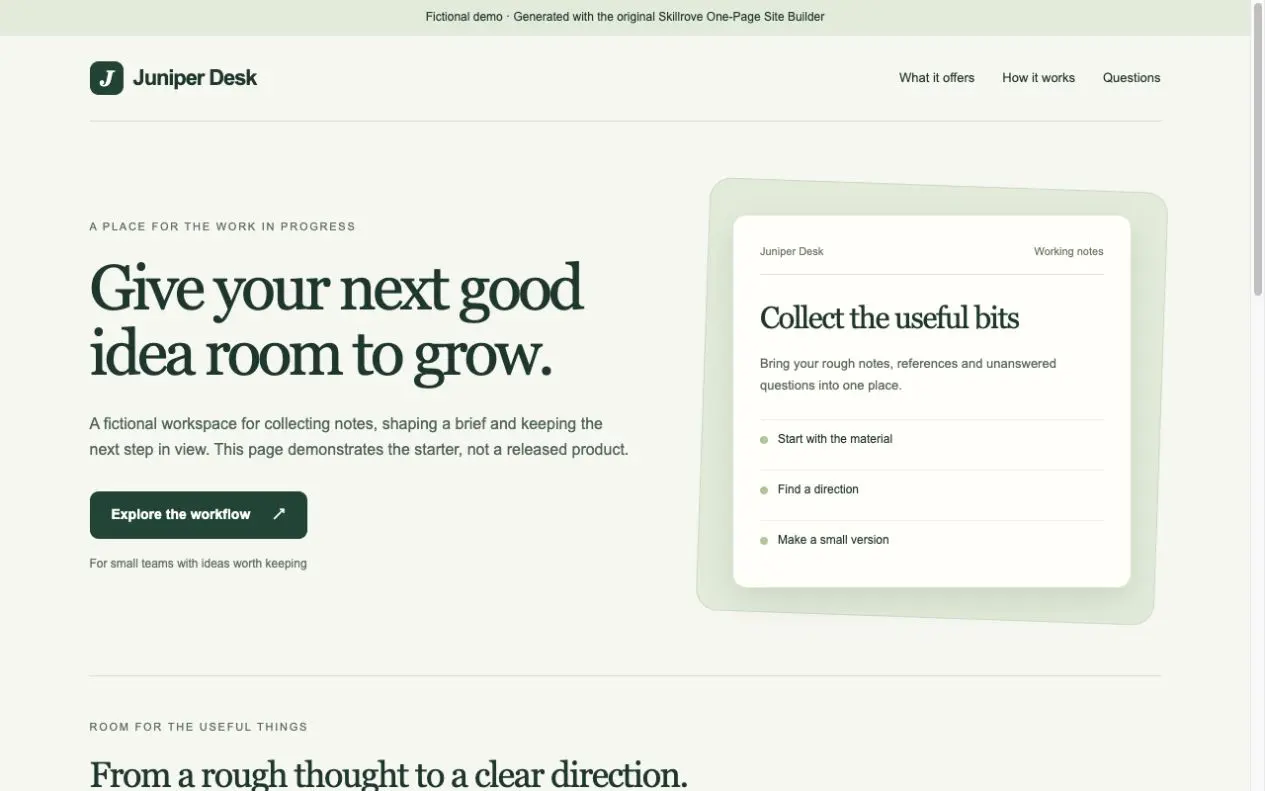
Turn your product brief into a responsive one-page website and a portable content document. An original, free Skillrove workflow with an editable fictional example.


 Codex +2
Investigate packaged software with REA: inspect JavaScript and Electron modules, IPC bridges and source evidence, then explain how a feature works. Free official open-source skill by morluto, with a tested static-analysis example and a clear MCP setup guide.
Actual REA 6.4.0 analysis · source locations · owned fixture
Original SKILL.md + six reference guidesMIT license + pinned source hashesOwned Desk Notes practice artifactMCP setup guide for three agentsActual analysis JSON + browsable notebookInput hashes + delivery-manifest.jsonDevelopers and researchers inspecting software they own or are authorized to analyze.
REA by morluto, MIT licensed. This release tests a small static JavaScript artifact only; inferred relationships do not prove runtime behavior. Native engines and agent/model access are separate.
REA by morluto, distributed free under MIT. The official rea-agents 6.4.0 skill and all six reference guides are preserved byte-for-byte. Skillrove adds an owned fictional Desk Notes artifact, a first-run helper and a browsable notebook built from actual REA output.
Investigate shipped applications and binaries with evidence, rather than guessing from the interface. Supported workflows include JavaScript/Electron, native binaries, managed assemblies, packaged resources and requested runtime observation. Available formats and tools depend on your installed REA version and analysis engines.
First run: install the skill, then run node scripts/analyze-example.mjs --output ./sample-rea from its folder. This downloads the pinned official runtime when needed, analyzes only the supplied fixture without executing it, and delivers analysis.json, input hashes, a browsable evidence notebook and a SHA-256 delivery manifest. It leaves existing output folders intact.
Agent setup: a skill ZIP supplies instructions; it does not register MCP. Preview npx rea-agents@6.4.0 setup --client codex --dry-run --json, review the proposed paths and backups, then use the interactive setup and restart your agent. Claude Code and Cursor are also supported. Requirements: Node.js 22.19+ within 22.x, 24.11+ within 24.x, or 26+, with npm. Static JavaScript needs no native analysis engine.
Source: https://github.com/morluto/rea at a56f7bb668ab23fec8d33f7af353ac7ed2fe1895; published npm package rea-agents 6.4.0. Copyright (c) 2026 morluto and original notices are included. Platform 1.0.0 is a distribution snapshot. The runtime is acquired separately from npm; it is not bundled in the skill ZIP.
Limits: this release was tested on the included small static JavaScript/Electron artifact. Static observations and inferred IPC pairings do not establish runtime reachability, security or correctness. Native decompilation requires an appropriate Hopper, Ghidra or IDA installation; commercial tools and agent/model access are separate. Only inspect software you own or are authorized to analyze. Tool results sent to your agent follow its model provider's data policy.
FROM PACKAGE TO FIRST RESULT
Follow a search request through a small fictional Electron package, inspect actual REA evidence, then connect its tools to your agent.
Open-source skill by morluto · MIT · Original repository · Pinned source snapshot
These steps use a project folder. Open the project in your agent and run terminal commands from its root.
Package folder .agents/skills/reverse-engineer-anything
Download and unzip the package into the folder above. Keep all its files together, with SKILL.md directly inside that folder.
Downloads require a verified account. Choose a new folder if this Skill is already installed.
The ZIP installs workflow instructions. To use REA through your agent, preview its MCP setup, review the proposed paths and backups, then run the interactive setup and restart the selected agent. The CLI sample below works without MCP registration.
npx rea-agents@6.4.0 setup --client codex --dry-run --jsonnpx rea-agents@6.4.0 setup --client codexSetup may replace this curated skill folder; keep sample files in a separate project if needed. Native analysis engines are optional for this static example.
Read SKILL.md, review the generator and check its runtime requirements before running:
cd .agents/skills/reverse-engineer-anything
node scripts/analyze-example.mjs --output ./sample-rea
python3 -m http.server 8080 --bind 127.0.0.1 --directory sample-reaOpen http://127.0.0.1:8080/. Filter IPC & bridge, search preload.cjs, expand original nodes and download the complete analysis JSON. Compare the input and delivery hashes. This is static inspection; the target app is never executed.
The first run downloads official rea-agents 6.4.0 from npm when needed. Node.js 22.19+ in 22.x, 24.11+ in 24.x, or 26+ is required. Python 3 only serves the preview. Agent/model access and optional native engines are separate. Platform 1.0.0 identifies this distribution snapshot.
If sample-rea already exists, change the output to ./sample-rea-2. Existing files are never overwritten.
Use reverse-engineer-anything. Read SKILL.md and SKILLROVE-SETUP.md. First inspect the MCP setup dry-run and explain its proposed configuration changes; wait for my approval before changing agent configuration. Then statically inspect the included Desk Notes fixture. Explain the notes:search request with source locations, distinguish observed facts from inferred IPC pairing, and list coverage limits. Do not execute the target application.
Tried this workflow? Help others decide with an honest review.
The package is free to download with a verified Skillrove account. Your agent subscription, model access and external provider credits are separate.
This release lists Codex, Claude Code, Cursor as intended installation hosts. Check the package’s dependencies and permissions before running it. These labels do not certify that every workflow has been tested in every agent.
The documented 1.0.0 workflow lists: Original SKILL.md + six reference guides; MIT license + pinned source hashes; Owned Desk Notes practice artifact; MCP setup guide for three agents; Actual analysis JSON + browsable notebook; Input hashes + delivery-manifest.json. Some files or exports are optional; follow the package’s setup and inspect the delivered result.
The first run downloads official rea-agents 6.4.0 from npm when needed. Node.js 22.19+ in 22.x, 24.11+ in 24.x, or 26+ is required. Python 3 only serves the preview. Agent/model access and optional native engines are separate. Platform 1.0.0 identifies this distribution snapshot.